
CardFax Pregrade · Powered by MOSES™, the CardFax Engine
Know where to look before you bid.
A Chrome extension that pregrades trading cards from listing photos on eBay, Fanatics Collect, or any auction site — any card photo online. Axis subgrades, confidence levels, and a grade range on the Gem-Mint scale, read by the same method as the CardFax engine. In blind tests against professionally graded slabs, it matched the label's final grade without ever seeing it.
Three clicks on any listing
Step 1
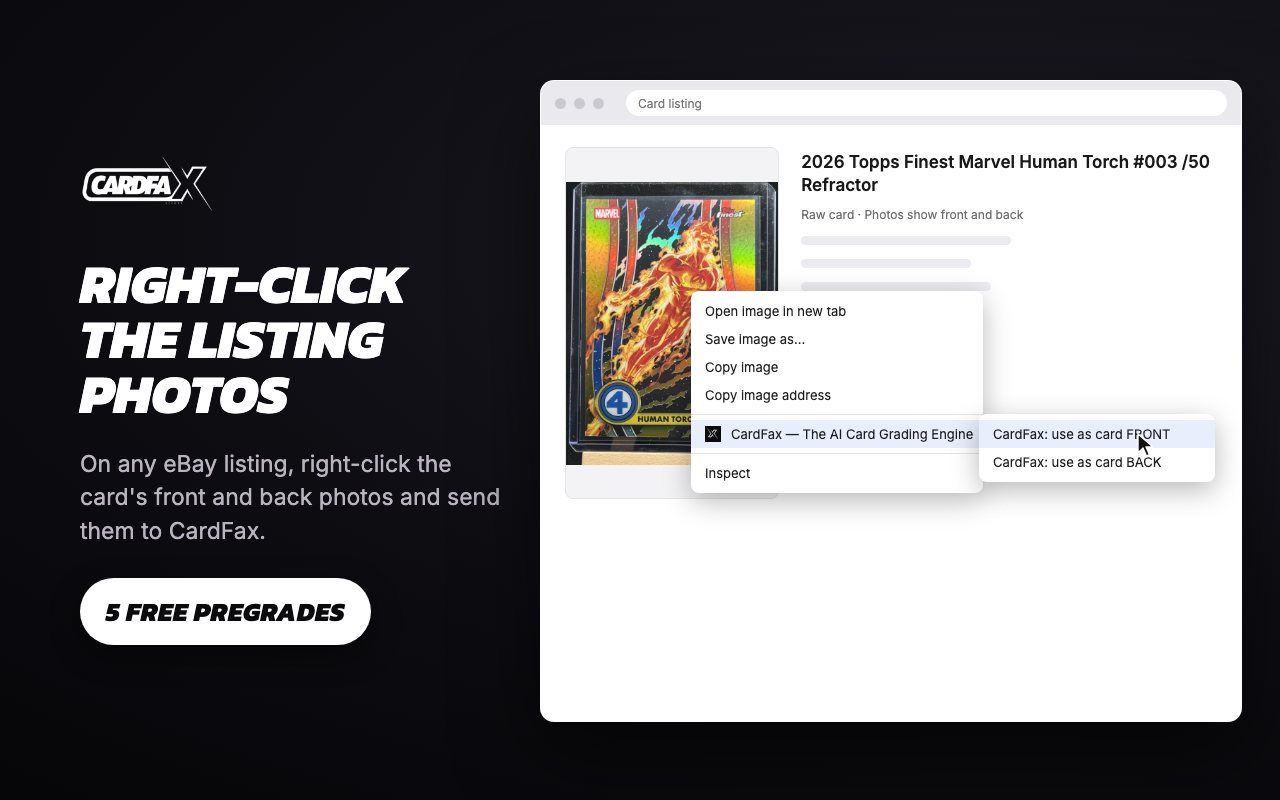
Right-click the photos
On any card listing — eBay, Fanatics Collect, any auction site — right-click the front photo and choose “CardFax: use as card FRONT”, same for the back.
Step 2
Pregrade the card
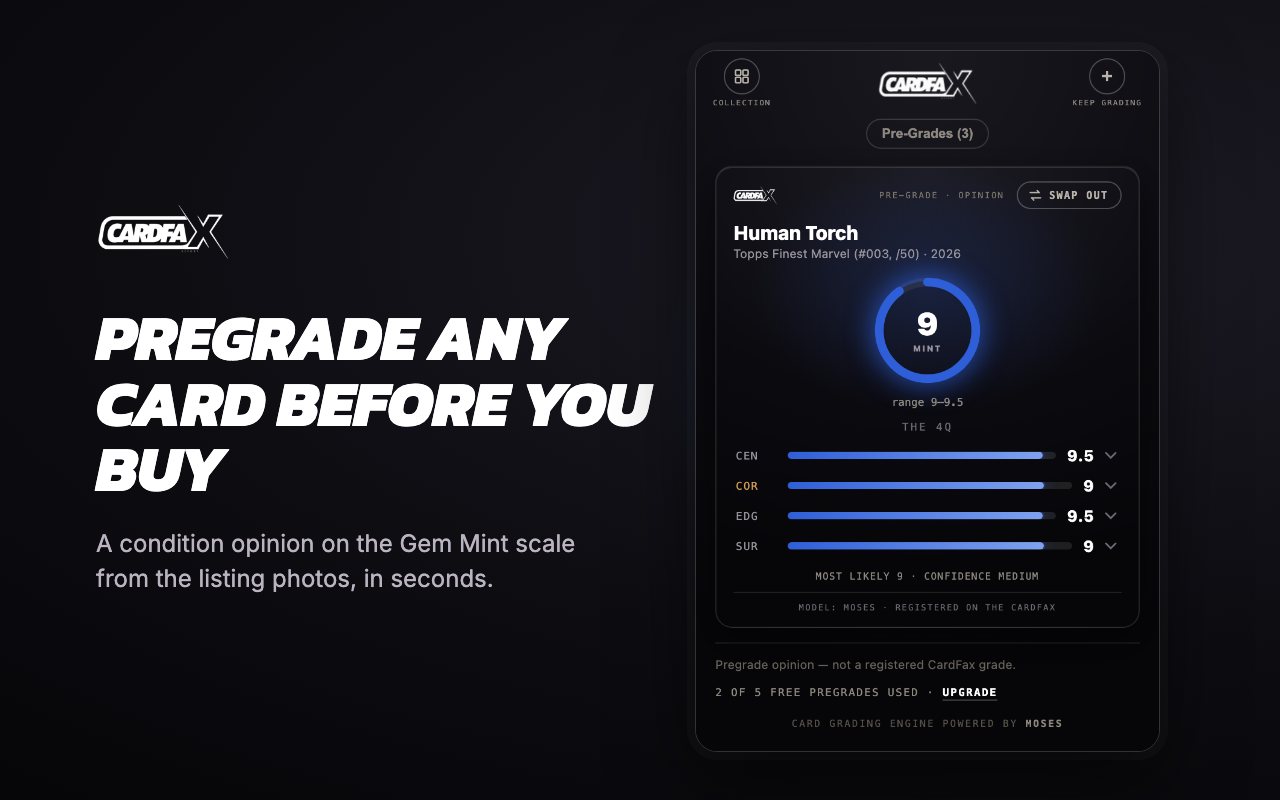
The engine locates the card, cuts corner close-ups at native resolution, reads all four Axis measurements, and derives a grade range on the Gem-Mint scale.
Step 3
Know where to look
Subgrades with confidence levels show which axis drags the grade — so you zoom the listing exactly where it matters before you bid.
See it in action

Raw or slabbed · any marketplace, any label
On a raw card, the pregrade reads the grade you could get. On a slabbed card, it reads the card — never the label — so you know whether the grade you got holds up. Use it anywhere cards are bought:
 Fanatics CollectPSABGSSGC+ any auction site · raw or slabbed
then start pregrading — or analyzing the grades you already own.
Built like the engine
Label-blind by architecture
On slabbed cards, the analysis receives only the card — cropped out of the holder. It cannot see the label, so its opinion is its own.
4Q™ read
Centering, corners, edges, surface — each with its own estimate and confidence, presented like a registry tile.
Your collection
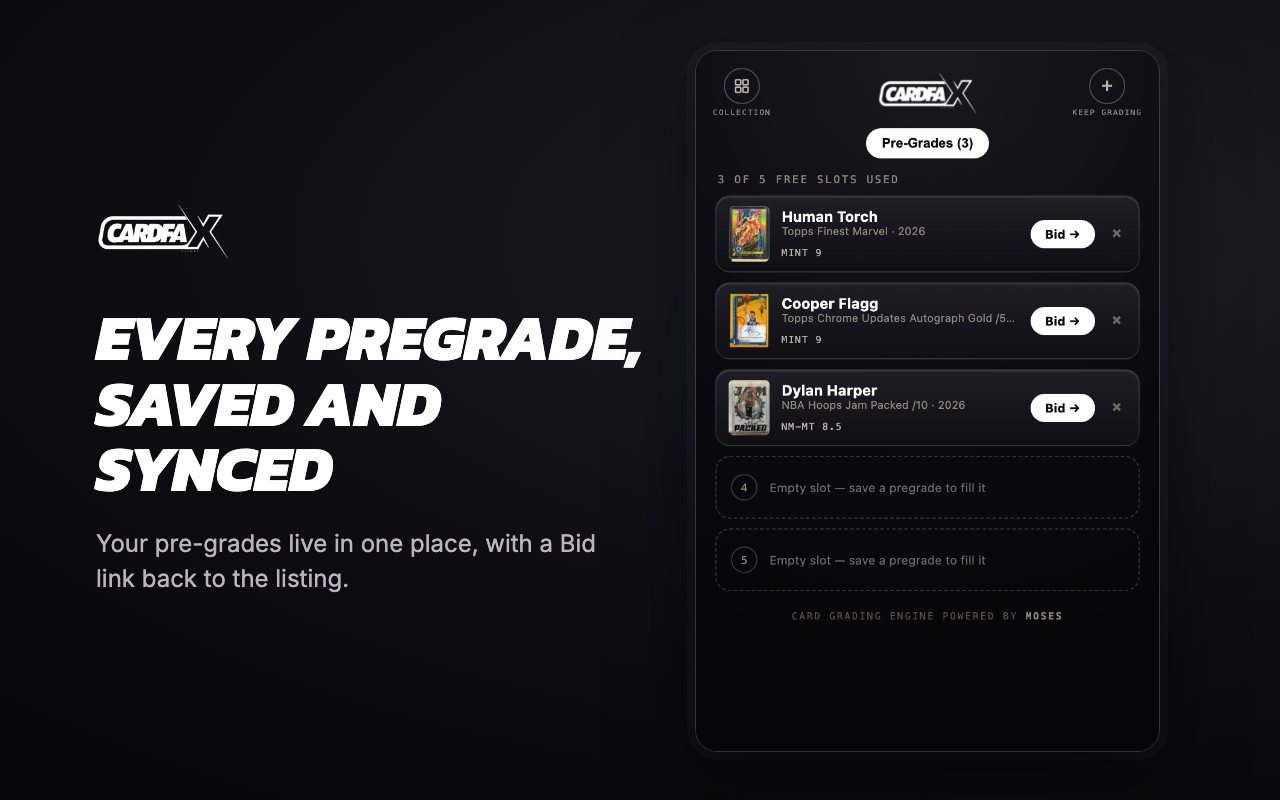
Heart a pregraded card and it joins your collection with its full analysis — ready to review and bid when you are.
Honest by design
Ranges instead of false precision, confidence on every claim, and a refusal when photos cannot support an opinion.
The proof
Field report CF-FR-2026-002 documents the blind test: a professionally graded card, read from listing photos with the slab label cropped out of the analysis entirely — and matched, subgrade for subgrade. Pregrades are opinions from photos, never registered grades; registered grades come from controlled scans on the CardFax engine. That line stays bright.
Frequently Asked Questions
What is a card pregrade?
A condition opinion on a trading card before you buy it, read from listing photos: axis subgrades with confidence levels, a grade range on the Gem-Mint scale, and a callout of the axis to inspect closest. It is an opinion, never a registered grade.
How accurate is the CardFax pregrade?
In blind tests against professionally graded slabs — with the label cropped out of the analysis entirely — the tool matched the final grade on the label, with most subgrades exact or within half a point. The results are published as field reports.
Does it work on slabbed cards?
Yes. The analysis receives only the card, cropped out of its holder, so it reads slabbed cards the same as raw ones: the grade you got, or the grade you could get.
What does the extension cost?
The extension is free to install. Pregrading starts with a free 14-day trial with full Collector access - add a card, grade free for two weeks, then $9.99 a month. Cancel anytime before day 14 and pay nothing.